Verified account
Snapchat Downloader
Paste a public Snapchat link or enter a username to preview available videos, photos and Profile images, then download the files you want.
Snapchat public media downloader
0 selected
No public content found
This profile does not currently have public media in this section.
Download
Open the collection to view and select every item.
Download videos and photos from supported Snapchat links
This free online Snapchat downloader accepts a supported public username or link and shows the videos, photos and Profile images it can find. A result can include Profile details, a current Story, saved Highlights, Spotlight posts, an avatar, banner or Snapcode.
Preview the found videos and images before downloading. The result shows video and photo totals, file formats and known resolutions so you can choose the items you actually want to save.
You can start with a username such as @nfl, a public Profile URL, a Snapchat share link, a direct Highlight link or a Spotlight link. The downloader checks the public page connected to that input. It does not sign in to an account, open private messages or search through Memories. If a short Snapchat link redirects to a supported public page, the tool follows the link and shows the content type it finds.
This Snapchat link downloader can save videos and photos from a public post without connecting your account. If you are looking for a Snapchat saver for your own Snaps, private chats or Memories, use Snapchat's own saving controls instead. A public Profile can have no current Story, and a shared post may disappear after its owner removes it.
How to download from Snapchat
To copy a Snapchat link, open the public item and use its sharing option, then choose the option to copy the link when available. On Snapchat's website, you can also copy the address of the public Profile or post you have open. Paste the complete URL here, not just its final ID. If there is no public link, this downloader cannot make a private Snap accessible.
Choose the link that matches your task. A username such as @nfl or a public Profile URL can find several collections. A direct Highlight or Spotlight link identifies a particular collection or post. A short share link is followed to its supported destination. Some publisher Story links containing /p/ return one video, not an export of the surrounding collection.
The web downloader works in a current desktop or mobile browser, including browsers on iPhone and Android. Your browser controls where the file is saved and may ask for permission when you choose several items. There is no ZIP to unpack and no separate Snapchat saver app to install.
Paste a supported public Snapchat link or enter the exact username, then select Find media.
Enter a link or username 
Use Current Story, Highlights or Spotlight to choose the public content you want.
Choose the public content type 
Open an item to preview it and check the available format, duration or resolution.
Select the thumbnail to preview 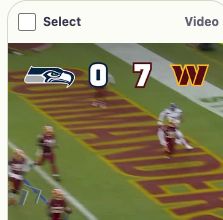
Select Download for one item, or select several items and let your browser save each file separately.
Download through the browser 
What the downloader can find
The exact result depends on what Snapchat currently shows for the username or link you enter.
Current Stories
Preview and save available video or image items from a currently public Story.
Highlights
Open a found Highlight collection and download its available videos and photos.
Spotlight
Find a public Spotlight video from its link or from posts listed on a public Profile.
Profile images
Save an available public avatar, banner or Snapcode directly from the Profile result.
Snapchat downloader FAQ
- Which Snapchat links can I use?
- Enter a public username, Profile URL, supported share link, Highlight link or Spotlight link. Some publisher Story links containing /p/ are also supported. Results may include public videos, photos and profile pictures, depending on what Snapchat currently makes available.
- Do I need to sign in to Snapchat?
- No. The tool works with public data and does not ask for Snapchat account credentials. It cannot use this access to open private content.
- Can it recover private, deleted or expired media?
- No. If an item is not publicly available, the tool cannot recover it. Private, removed and expired media remains unavailable.
- Does the tool change quality or remove watermarks?
- The tool does not add or remove watermarks, sharpen photos or increase video resolution. Existing marks remain. Most files download directly; some supported videos are first prepared as an MP4 in your browser. Preparing an MP4 does not create a higher-quality version.
- How do multiple downloads work?
- Selected items are saved as separate files, not a ZIP. Your browser may ask you to allow multiple downloads. Videos that need preparation use temporary browser memory before saving; the site does not keep a hosted media archive. Check your browser's download list for saved files.
- May I reuse the downloaded media?
- Only when you have permission and a lawful reason to do so. Public availability does not transfer ownership or reuse rights.
- Is this the same as downloading the Snapchat app?
- No. This is a web tool for finding and downloading media from supported public Snapchat inputs. It does not install or replace the Snapchat app.
- Why does a video need preparation before I can save it?
- Some supported public videos, including certain /p/ links, arrive in separate pieces. Your browser prepares those pieces as one MP4 before previewing or saving the video. Keep this tab open while the preparation message is shown. This is not a download of every item in the publisher's Story.
- Can I use the Snapchat downloader on iPhone, Android or a computer?
- Yes, the tool runs in a modern web browser and does not require a separate app. The final save location and download prompt are controlled by your browser and device. On some phones, the file first appears in Downloads or Files rather than directly in the photo gallery.
- Will every download be HD or 4K?
- No. The result shows the resolution that is available when Snapchat provides that information. The tool does not create an HD or 4K version, sharpen a small image or convert a lower-resolution video into a larger one.
File quality, availability and browser downloads
Video and photo items can show a format such as MP4 or JPG and any known dimensions or duration. Missing details do not automatically mean the file is broken. Profile images have separate Avatar, Banner and Snapcode actions; their pixel dimensions are not shown in the Profile summary. Use the item label to tell a photo from a video cover before downloading.
A Profile can appear even when no videos or photos are found. Check which tab is empty: no current Story does not mean there are no saved Highlights or Spotlight posts. If you were sent a particular post, try its direct public link instead of searching the whole Profile. Use View source to check the Snapchat page when a preview will not load. Stories can expire and creators can remove posts between your search and your download.